Scrape Product
Scrape products from e-commerce platforms.
-
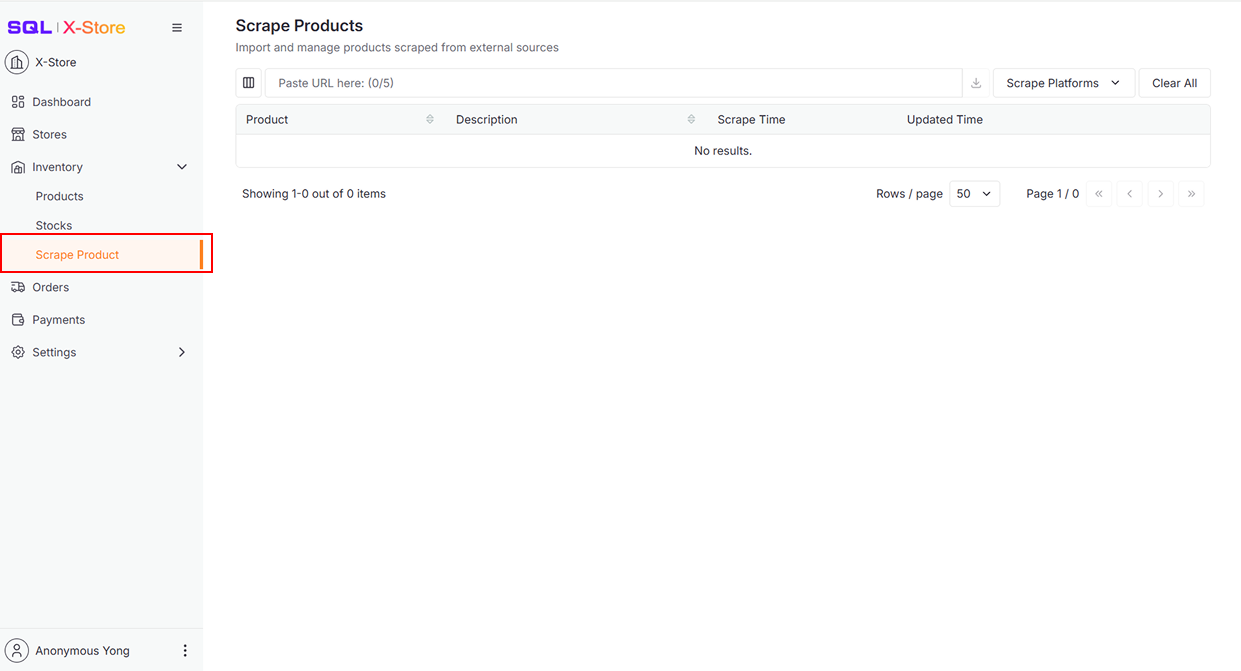
Click Scrape Product in the sidebar
-
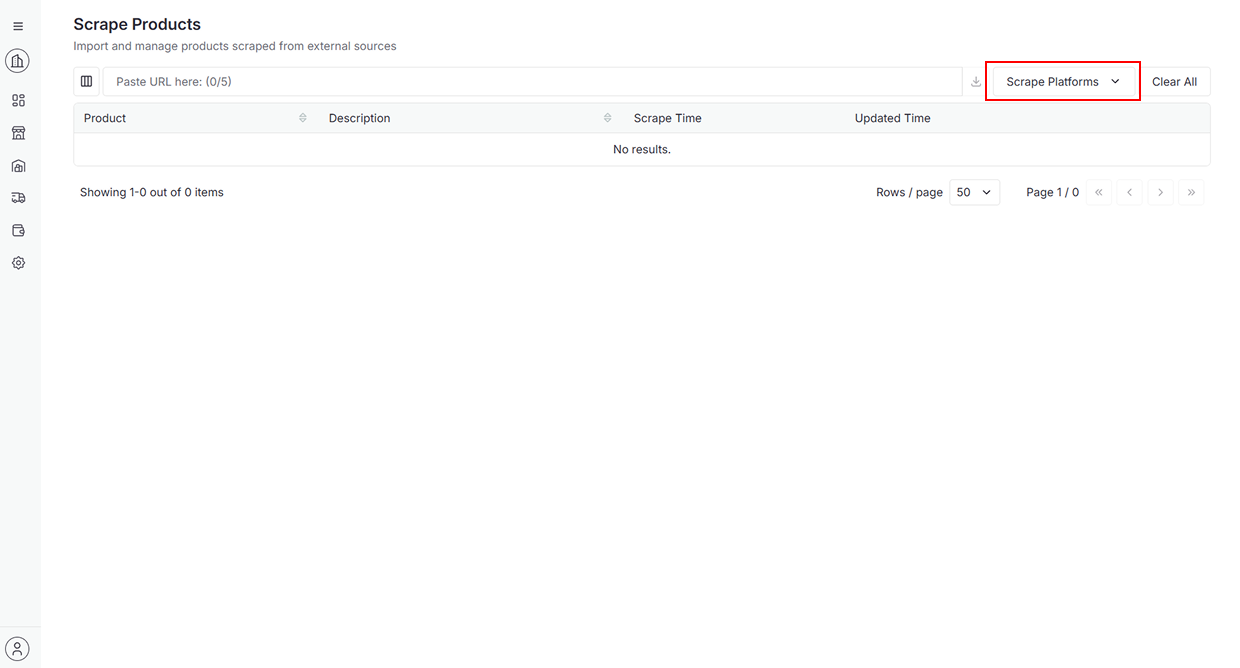
Click Scrape Platforms
-
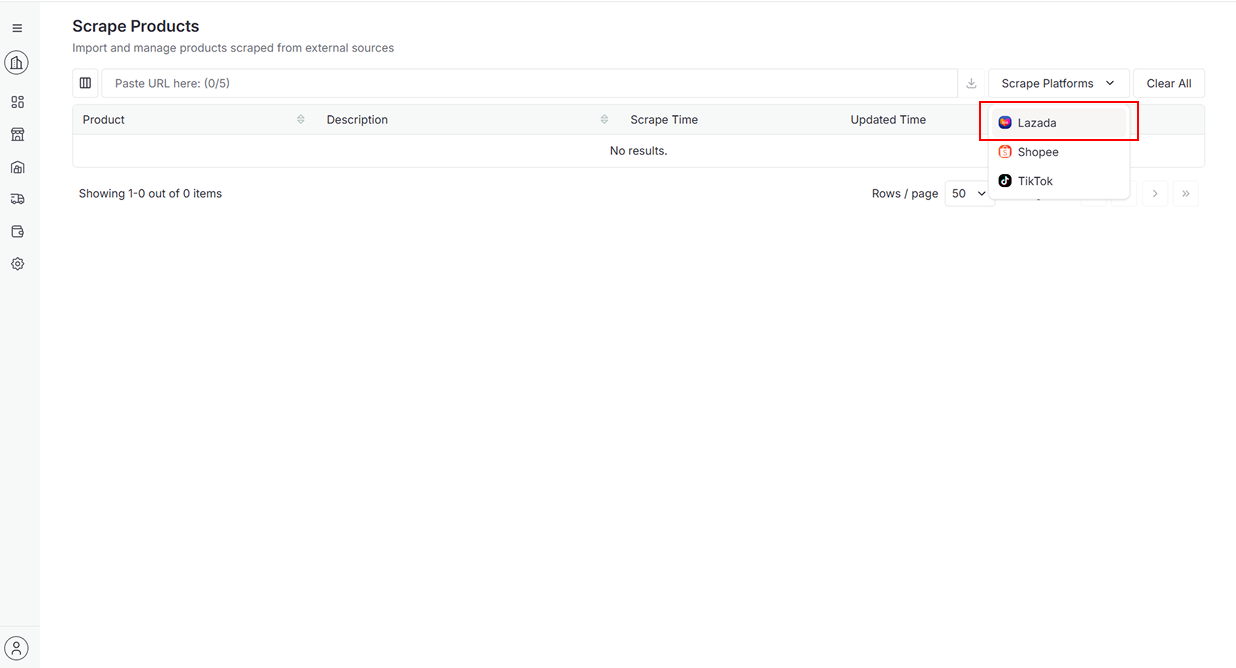
Choose a platform from the dropdown to visit its official website for copying product URL
-
Paste URL and press Enter on keyboard or Click Download button for scraping
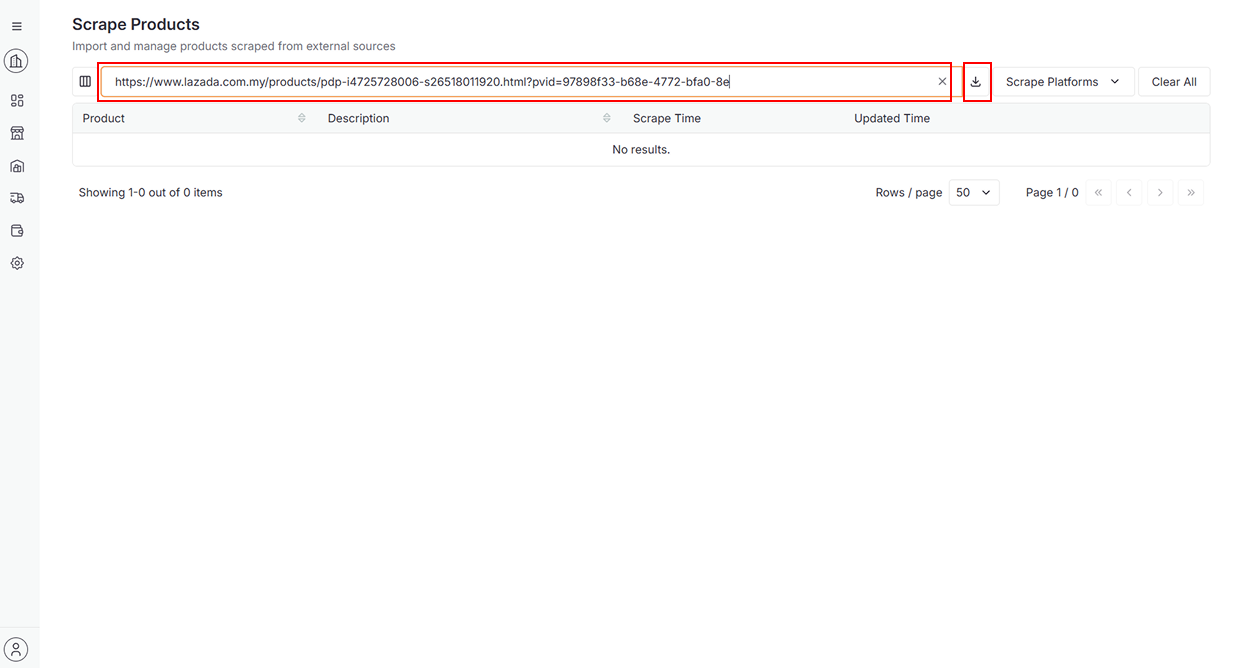
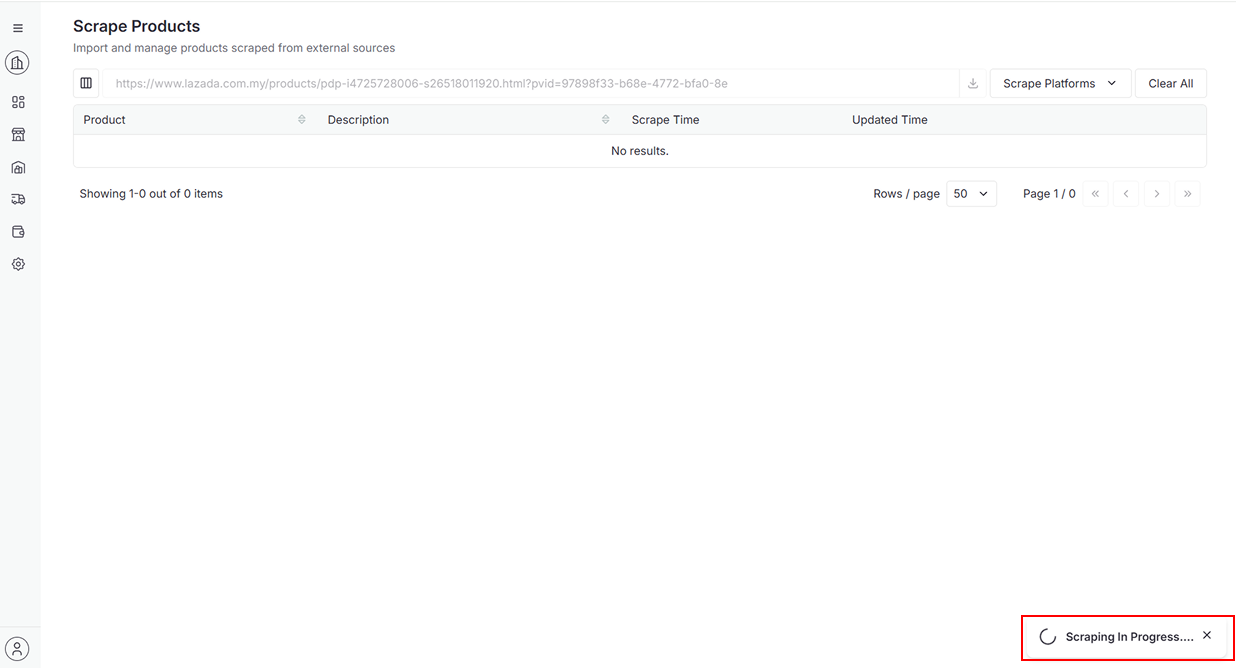
-
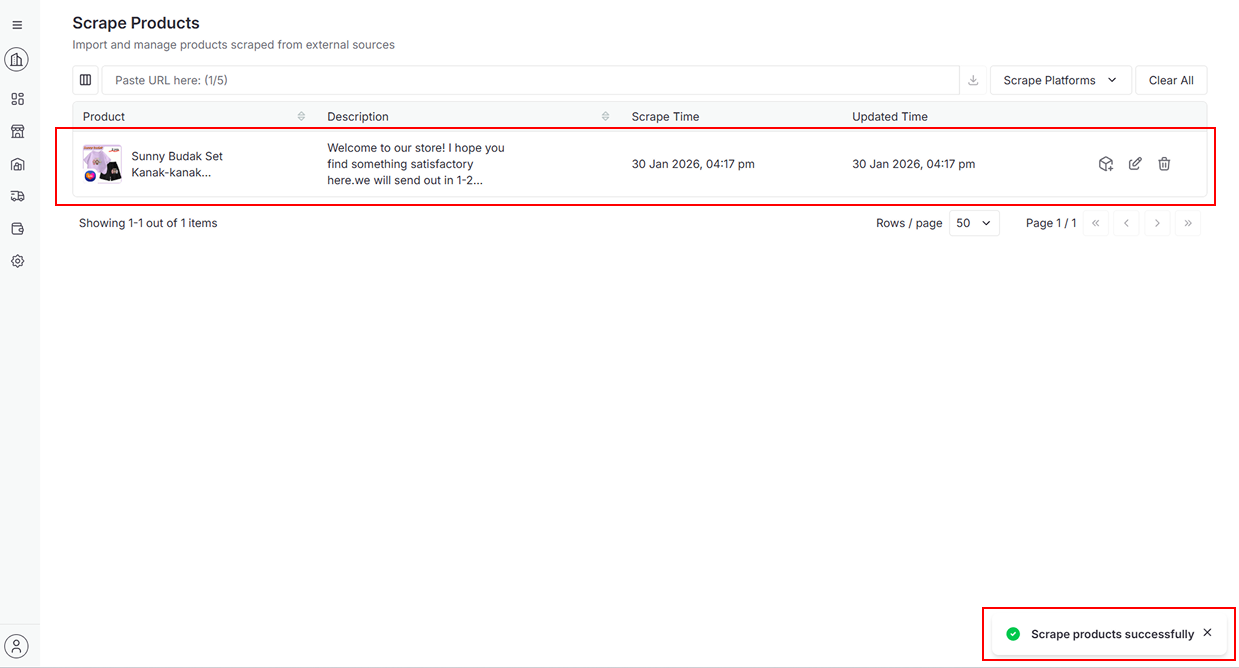
After successful scraping
-
A success message will appear
-
The product will be added to the data table.
-
-
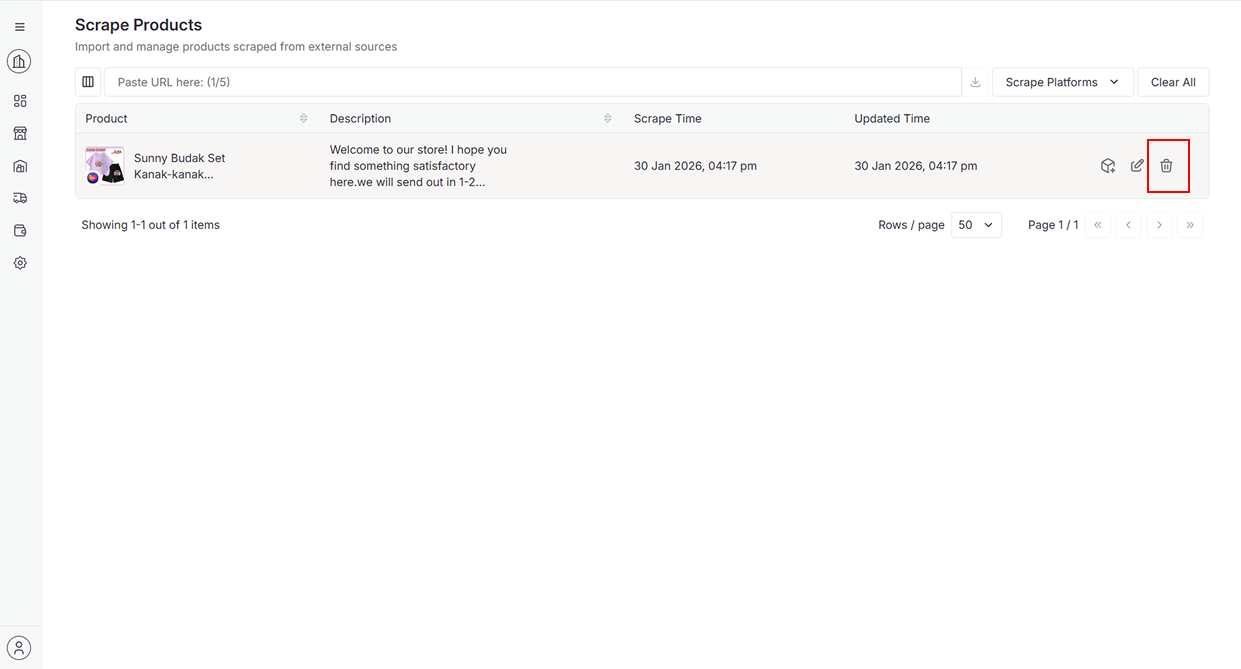
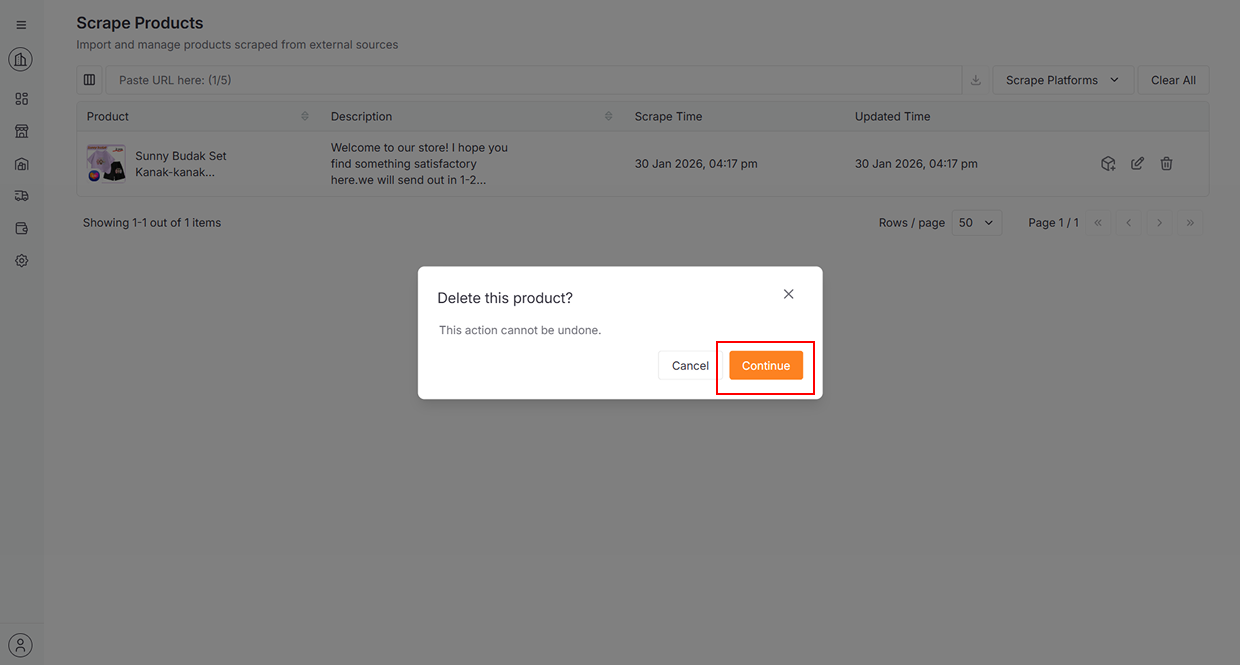
Click the Trash icon to delete the product.
-
Click Continue to delete
-
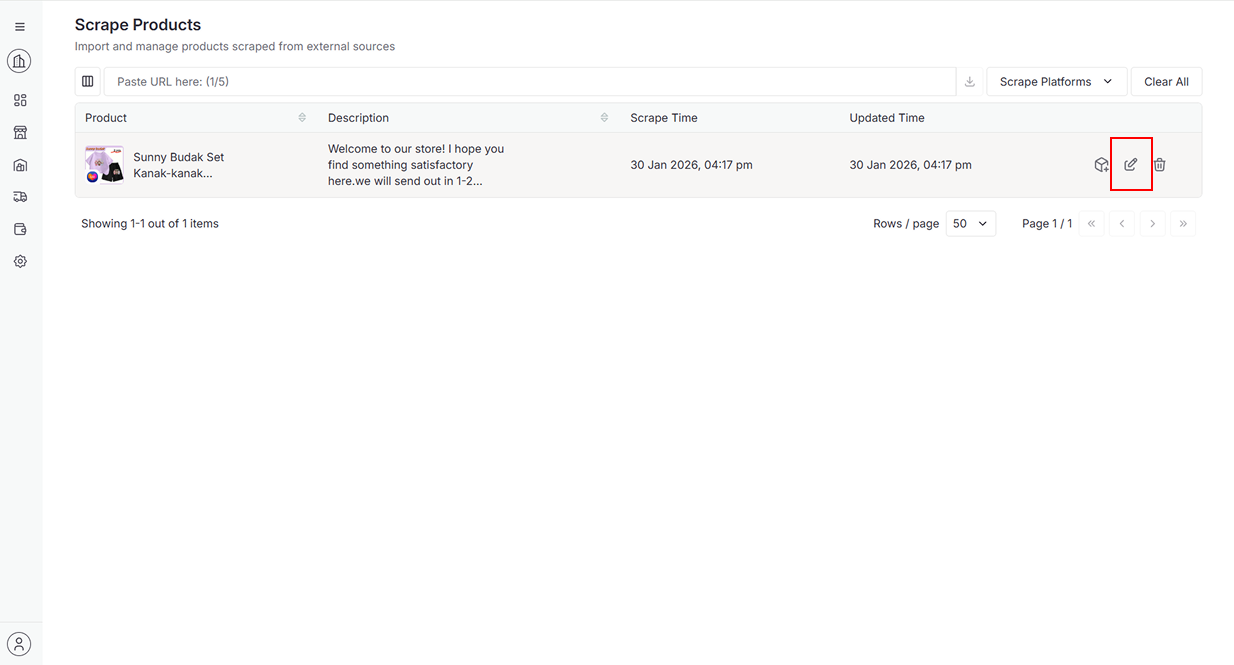
Click the Edit icon to edit the product details.
-
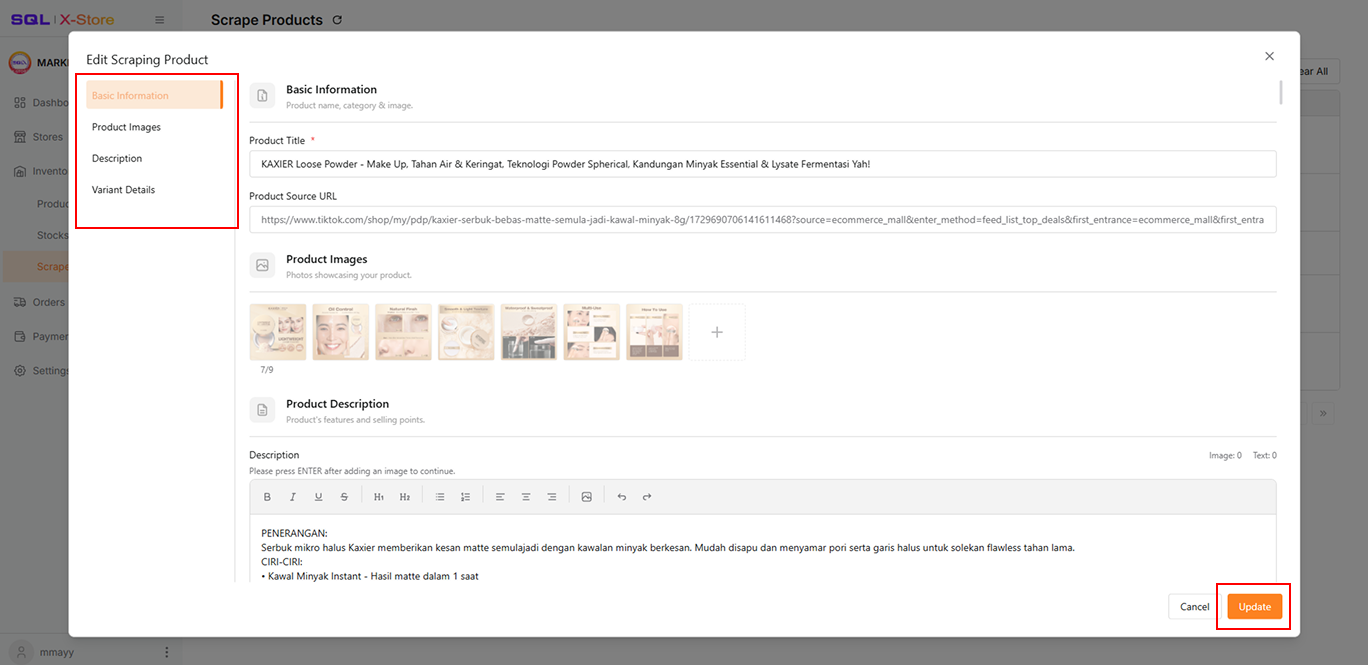
Click any section on the left to scroll automatically to the corresponding section
-
Click Update to update the changes
-
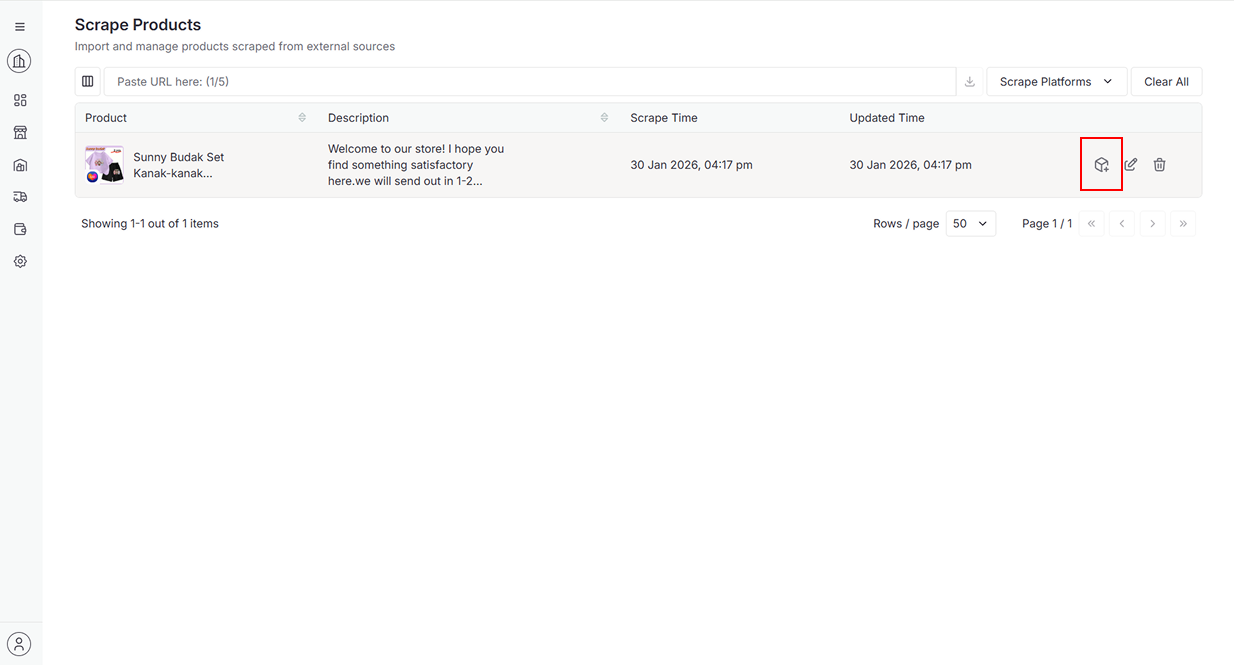
Click the Create icon to create the product in the selected store.
-
Select Platform and Store, then click Select Store
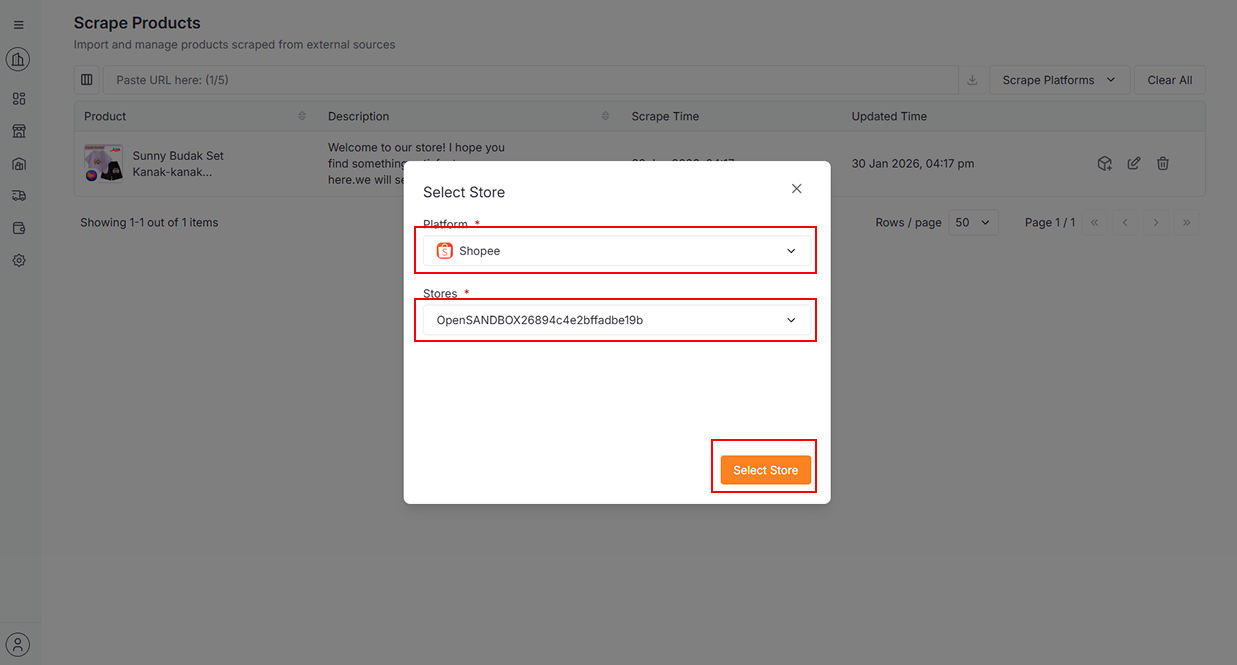
For detailed instructions on creating a product, navigate to Integration > XStore > Products
-
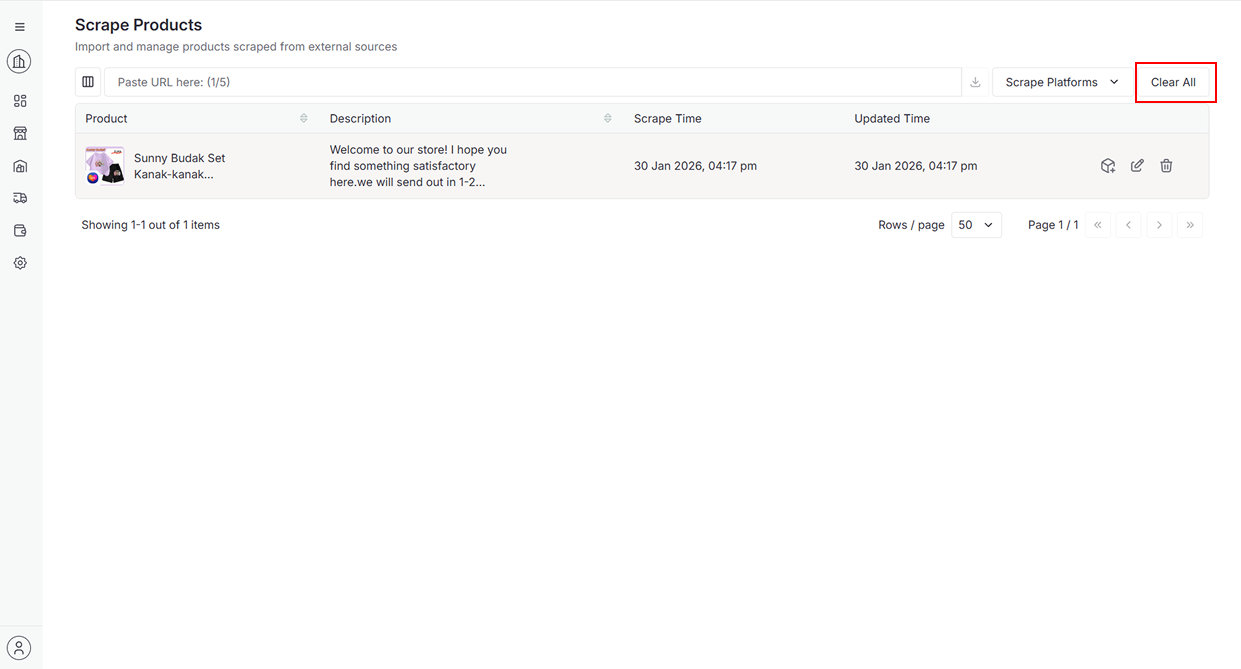
To clear all scraped products, click the Clear All button.
-
Click Continue to delete
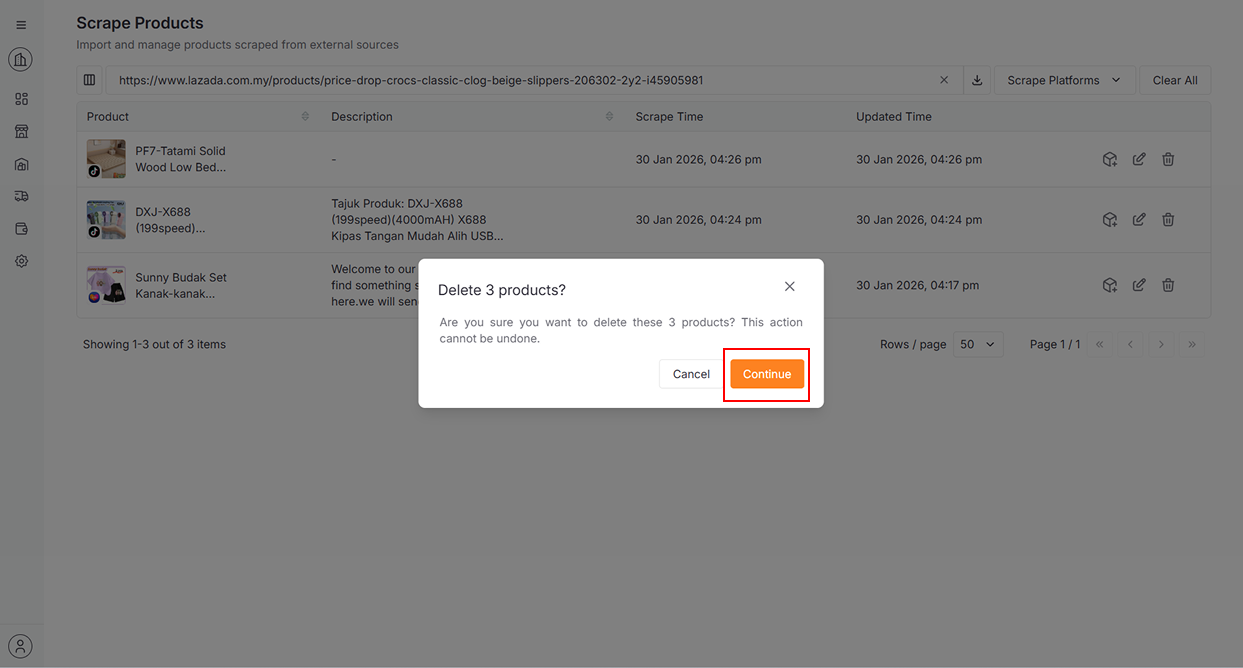
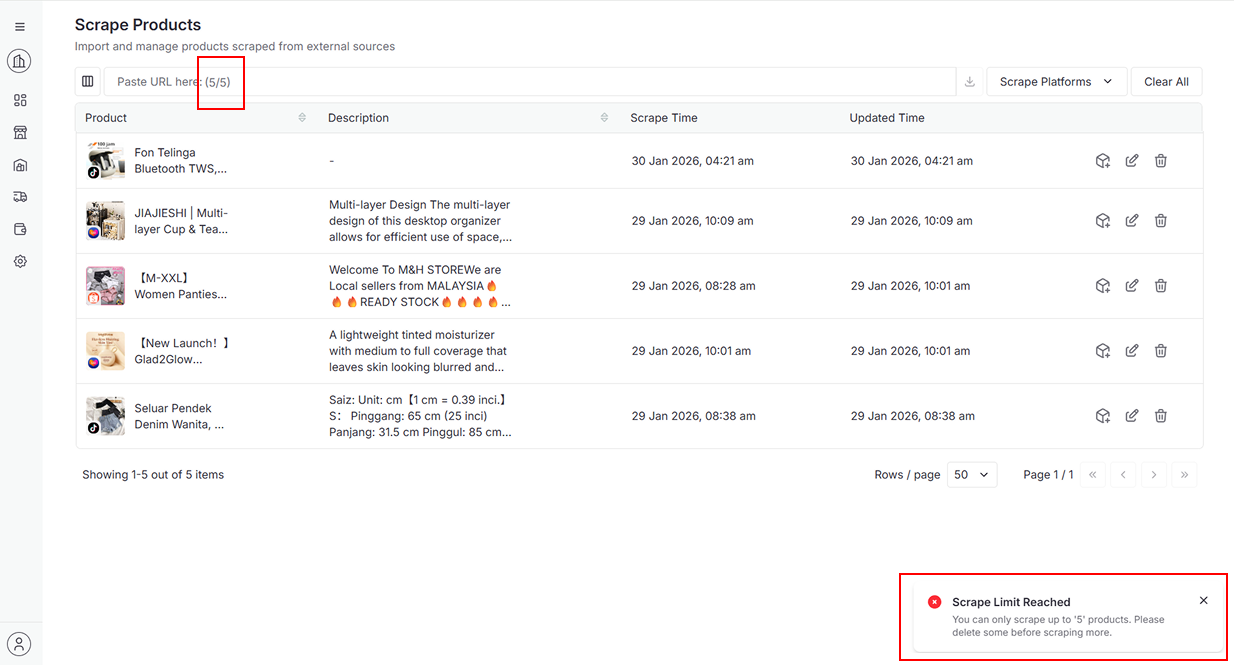
The maximum scrape limit is 5 products. Please delete some products before continuing.